- Hign-concerned Chemical: None
- Battery Included: No
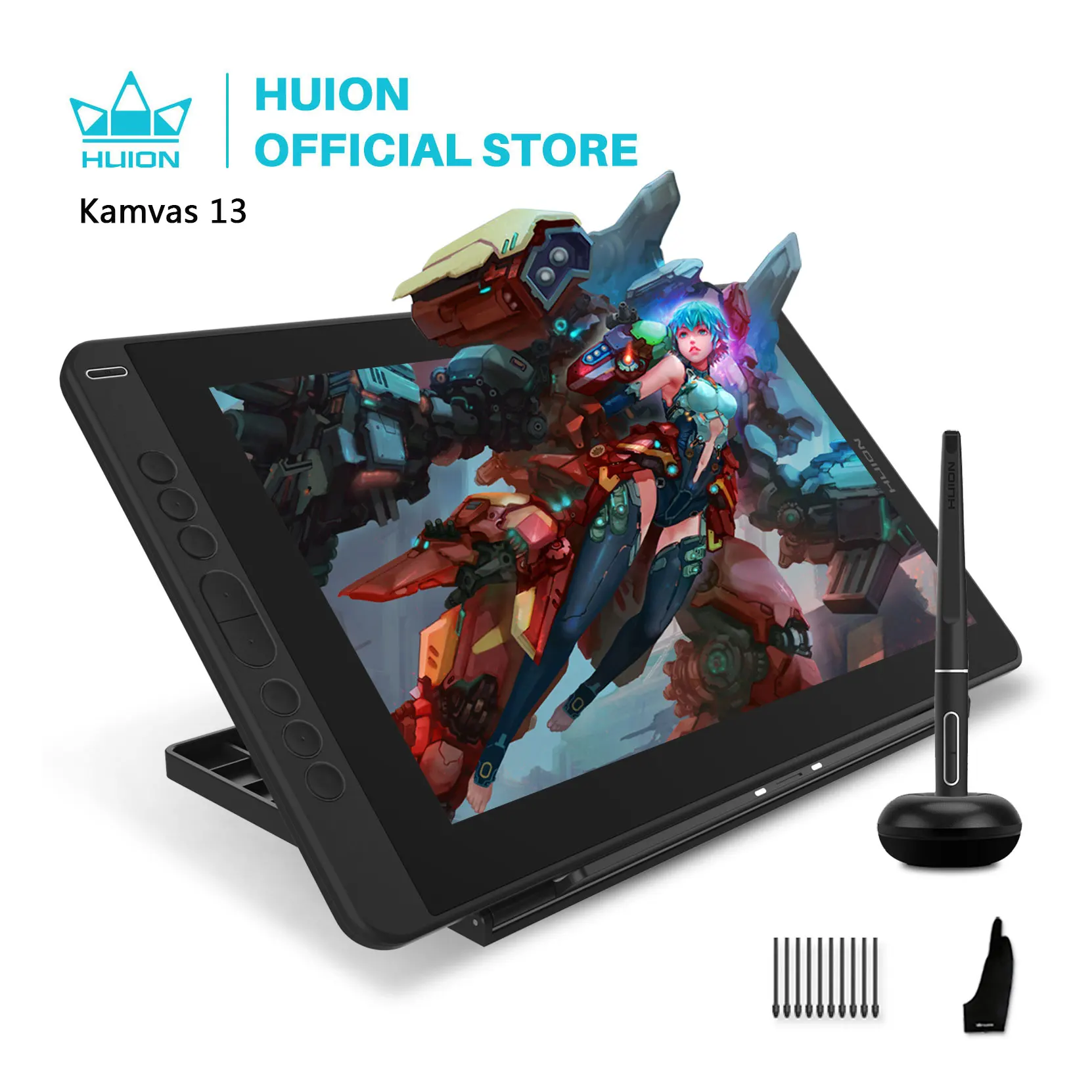
- Type: Pen Tablet Monitor
- Screen Resolution: 1920x1080
- Screen Size(diagonal): 13.3"
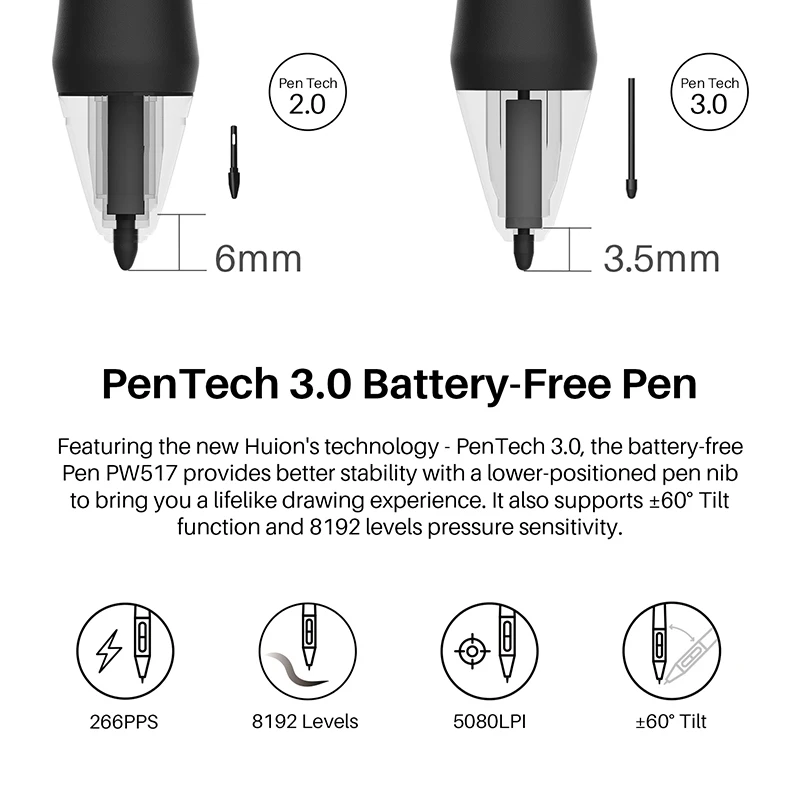
- Pressure Levels: 8192
- Resolution Ratio: 5080lpi
- Package: Yes
- Material: other
- Brand Name: HUION
- Origin: Mainland China
- Type: Digital Tablets
- Certification: CE
- LCD Type: IPS
- Active Area: 293.76x165.24mm
- Contrast Ratio: 1000:1
- Response Time: 25ms
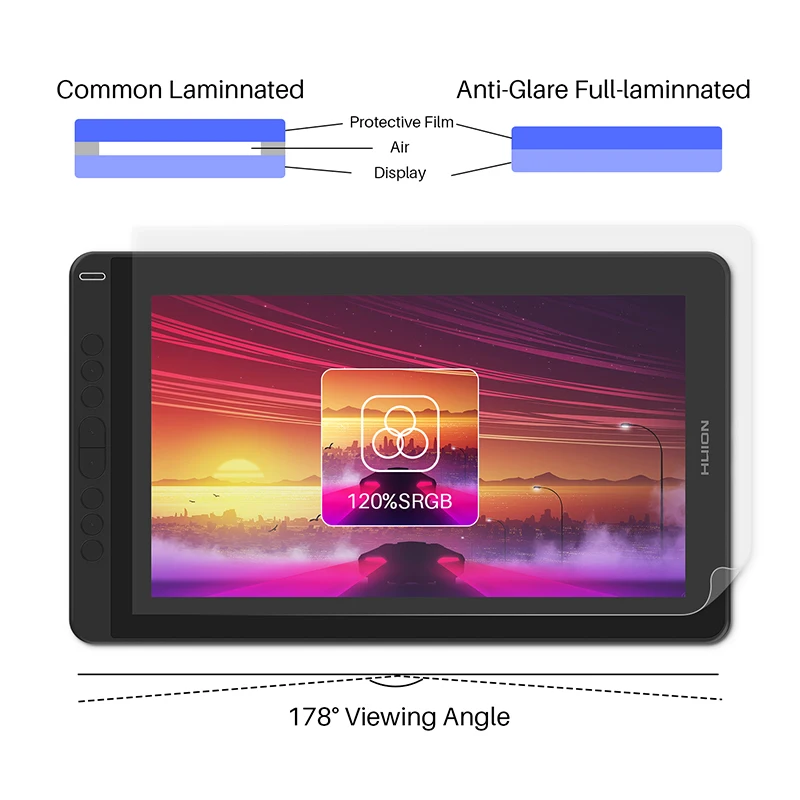
- Gamut: 120% sRGB
- Display Color: 16.7M(8bit)
- Pen Technology: Battery-Free Electromagnetic Resonance
- Sensing Height: 10mm
- Report Rate: 266PPS
- Tilt: 60
- Digital Pen: PW517
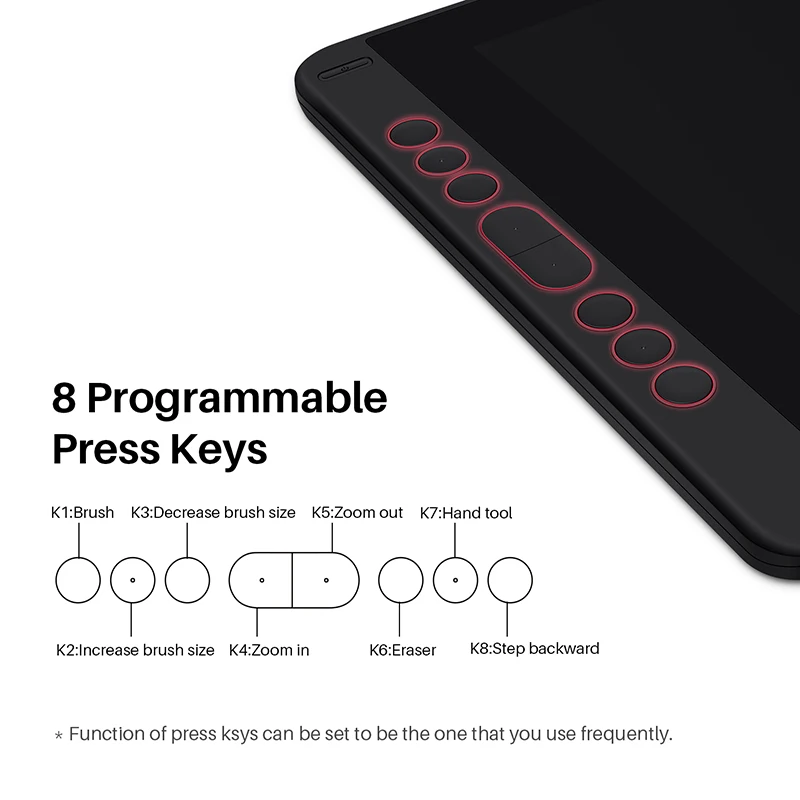
- Press Keys: 8 Programmable Press Keys
- Dimension: 366.5 x 217.4 x 11.8mm
- Net Weight: 980g
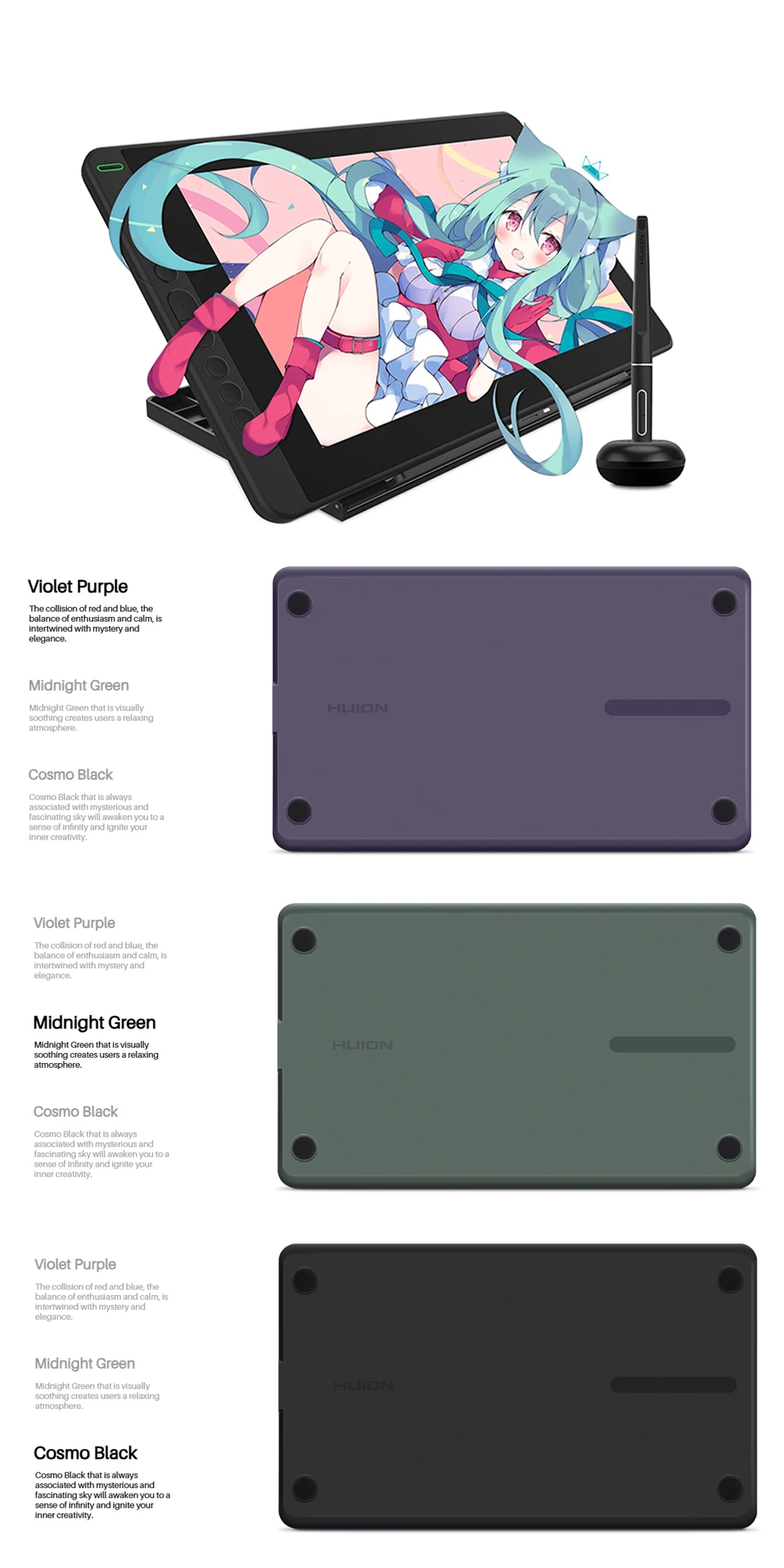
- Colour: Cosmo Black/Midnight Green/Violet Purple
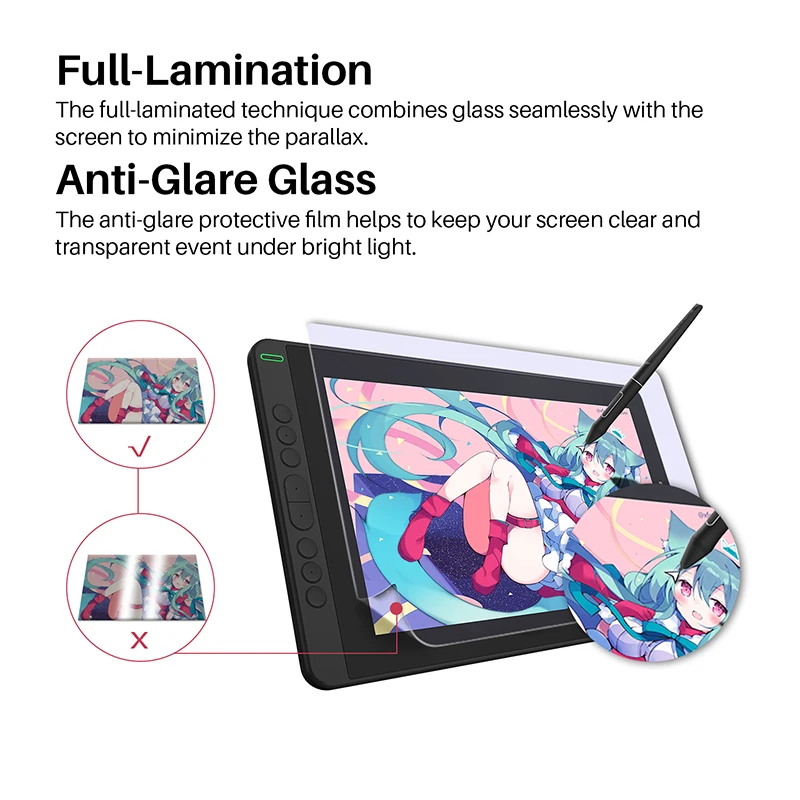
- Full Lamination: YES
Huion Kamvas 13: Creativity Starts Here
Impressive at First Sight
The Kamvas 13 captures attention instantly with its sleek design and vibrant color options—Midnight Green, Violet Purple, and Cosmo Black. Choose the one that best expresses your personal style.
Slim, Lightweight & Portable
At just 11.8mm thin and weighing only 980g, Kamvas 13 is made for artists on the move. Take it anywhere and draw freely—indoors or outdoors.


Effortless Connectivity
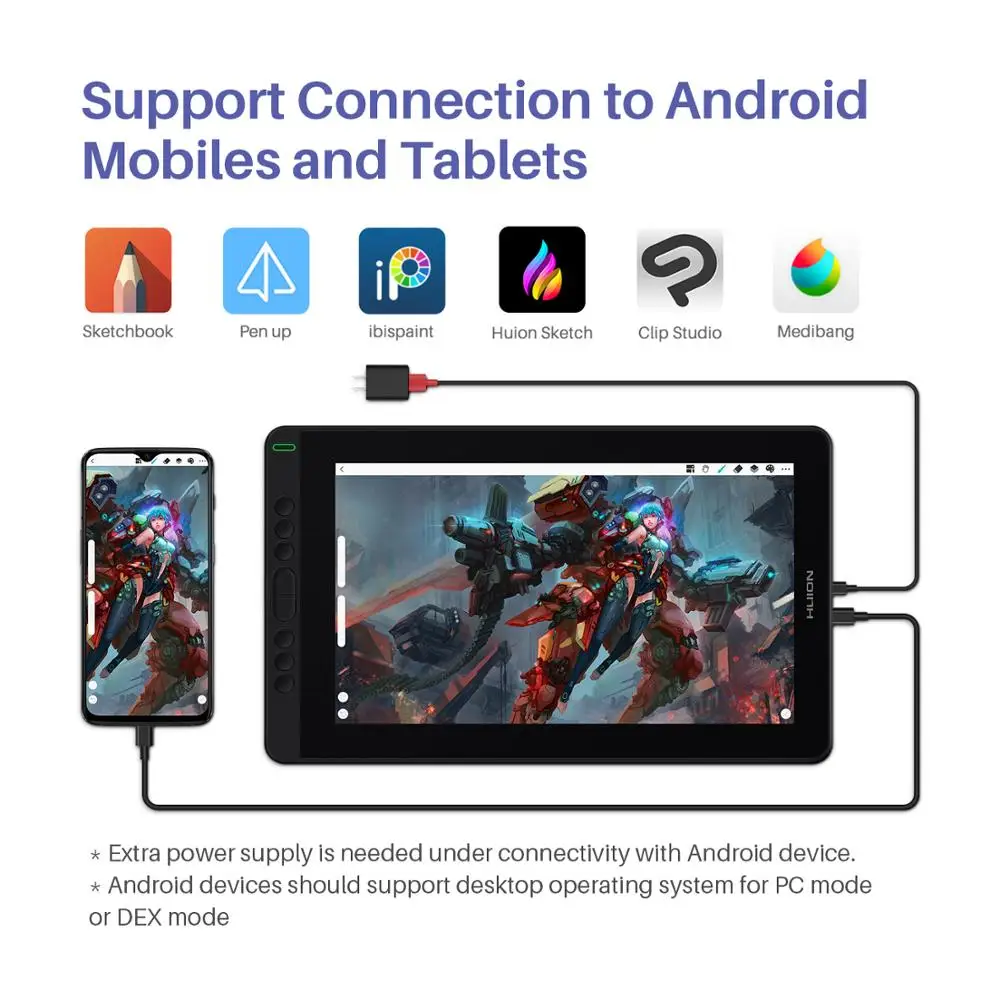
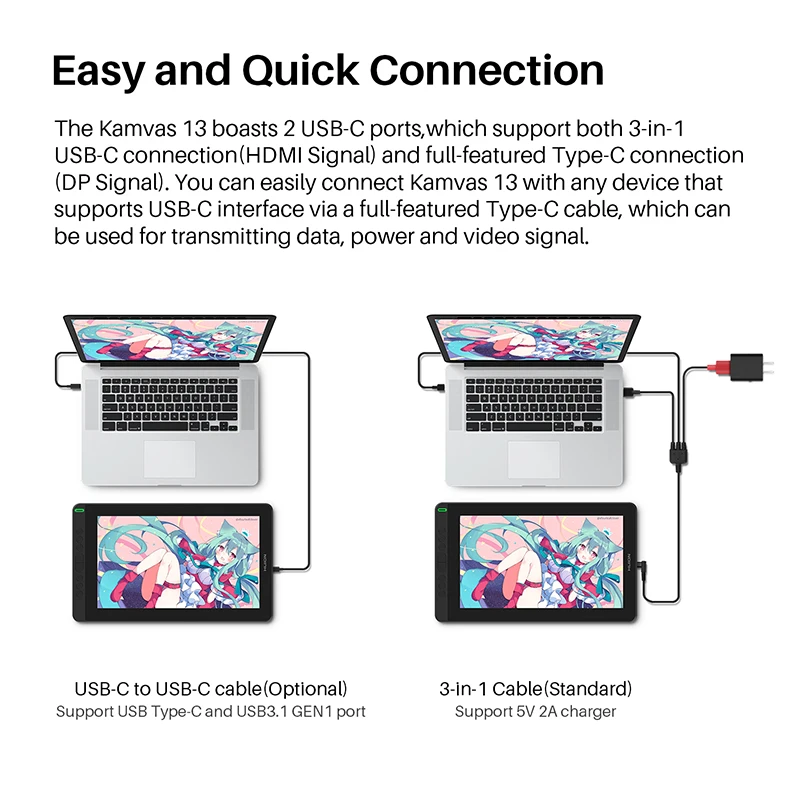
Kamvas 13 supports both Type-C to HDMI and Type-C to Type-C connections. Easily link it to laptops or Android devices that support Type-C input—no adapter required.
Note: USB-C ports must support USB 3.1 Gen1 and DP 1.2.


Powered by a Single USB Cable
With low power consumption, Kamvas 13 can be powered directly via your laptop using just one USB cable—simplifying your setup and increasing portability.
For Android connections, an extra power supply is needed.

* USB-C on device should at least support USB3.1 GEN1 data transfer protocol and DP 1.2.
* Extra power supply is needed under connection with Android device.
*List of Compatible Android Devices

Brilliant Visual Experience
Enjoy a 13.3" Full HD IPS screen with a 178° wide viewing angle and 120% sRGB color gamut. Your creations will come alive with vibrant color and stunning detail.

Seamless, Paper-like Drawing
The fully laminated screen reduces parallax for precise cursor positioning, while the anti-glare film minimizes reflections and mimics the texture of paper for a natural drawing feel—even in bright light.

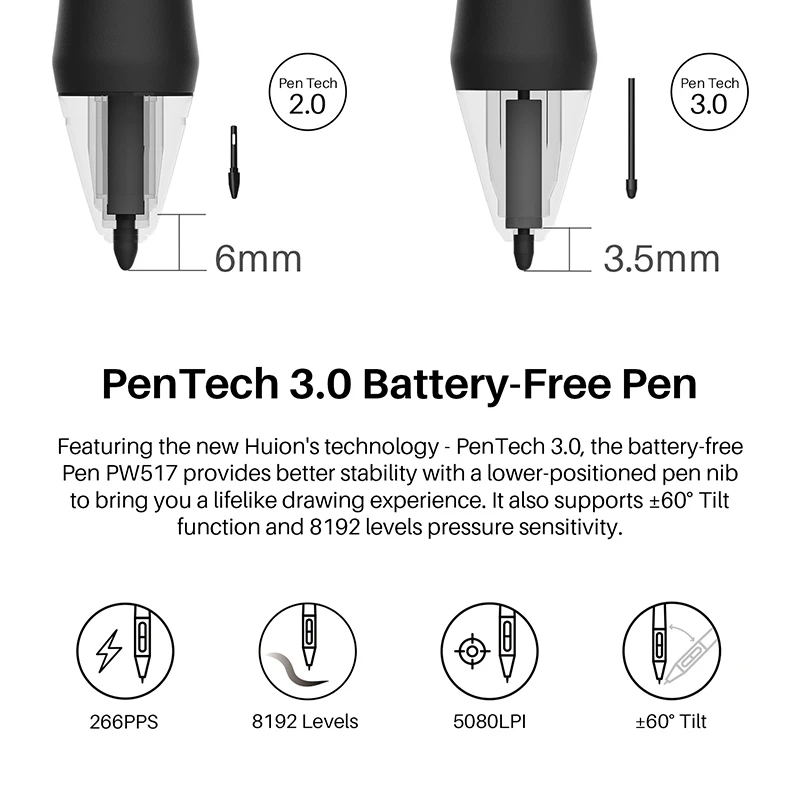
PenTech 3.0: Better Precision, Natural Flow
The battery-free PW517 pen features Huion’s latest PenTech 3.0 technology:
Lower sensor position (from 6mm to 3.5mm) for faster response
Reduced idling distance (0.8mm → 0.3mm)
More accurate, lifelike stroke rendering

Two Modes in One Device
Switch between Pen Display Mode and Pen Tablet Mode. When the screen is off, Kamvas 13 works as a pen tablet—saving power while offering a different creative workflow.
To activate Pen Tablet Mode, power off the screen and reconnect via USB.

Designed for Efficiency
With 8 customizable express keys, Kamvas 13 streamlines your workflow, making shortcuts and tools easily accessible.

Wide Compatibility
Kamvas 13 works seamlessly with Windows, macOS, Linux (Ubuntu 20.04 LTS), and select Android devices. Compatible with major creative software like Photoshop, Illustrator, Clip Studio Paint, and more.


What’s in the Box
Kamvas 13 Pen Display
Battery-Free Pen PW517
3-in-1 USB-C Cable
Pen Holder PH05
10 Replacement Pen Nibs
Pen Clip
Cleaning Cloth
Quick Start Guide
full-featured USB-C cable sold separately.
FAQs
The Huion Kamvas 12/13/16 (2021) is equipped with two USB-C ports. With the two USB-C ports, you can connect the Huion Kamvas 12/13/16 (2021) according to your needs.
The Huion Kamvas 12/13/16 (2021) can be connected to an Android phone or tablet via a full-featured USB-C to USB-C cable. (Note: When a phone is connected, an extra power supply should also be in place. Connect the pen display to a power adapter/ power bank via a USB charging cable/3-in-1 cable/phone charging cable.).
In order to have a full-screen display, you need to turn on the Desktop Mode (EMUI) of your Huawei phone or the Dex Mode of your Samsung phone.
FAQs
Does the Kamvas 13 have touch input?
No, it does not support touch input.
Do I need to connect it to a computer?
Yes, Kamvas 13 must be connected to a computer or supported Android device.
Can I use third-party USB-C cables?
No, only official Huion full-featured USB-C cables are supported.
Where can I get the latest drivers?
Drivers are available on the Huion official website.
Avaliações
Ainda não existem avaliações.